Breadcrumbs on a website are a row of clickable links that show where the current page sits in your site hierarchy. They usually run across the top of the page, just under the header, in the form Home > Category > Subcategory > Current Page. Every link except the last one is clickable. They do two jobs at once: they tell a visitor where they are, and they hand search engines a machine-readable map of how your pages relate.
Key Takeaways
- Use location-based (hierarchical) breadcrumbs. Path-based trails that mirror browsing history are useless for SEO.
- Add BreadcrumbList structured data in JSON-LD. Google still shows breadcrumb trails on desktop results, and dropped them from mobile in January 2025.
- Skip breadcrumbs on flat sites that are only one or two levels deep. They add clutter, not clarity.
- Pick one canonical path per page when a page fits several categories, and keep the visible trail and the schema in sync.
What Are Breadcrumbs on a Website?
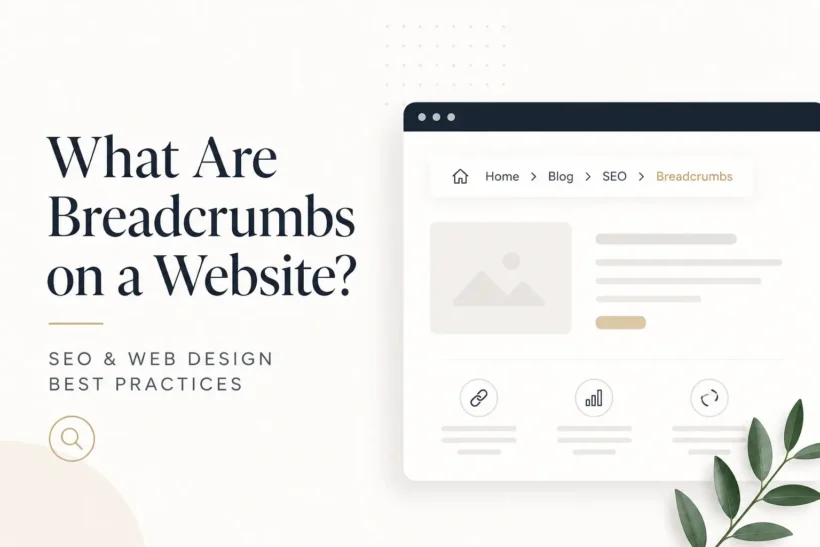
A breadcrumb is a secondary navigation aid. It sits alongside your main menu and answers one question: where am I right now?
The name comes from Hansel and Gretel, who dropped a trail of crumbs to find their way back home. Same idea. Each crumb is a step back toward the home page.
Here is what one looks like on a directory site:
Home > SEO Companies > Chicago > Acme Digital
Click “SEO Companies,” and you land on that category. Click “Home,” and you are back at the top. The last item, “Acme Digital,” is the page you are on, so it should not be a link.
There are three types, and they are not equally useful.
| Type | What it shows | Worth using? |
|---|---|---|
| Location (hierarchical) | Where the page sits in your site structure | Yes. This is the default for almost every site. |
| Attribute-based | Filters or options the user selected (Home > Shoes > Men’s > Size 10) | Only on ecommerce with faceted navigation, and watch out for indexing filtered URLs. |
| Path-based (history) | The pages the visitor clicked through to get here | No. Skip it. |
Path-based trails change for every visitor, so you cannot mark them up consistently and search engines get a different structure each time they crawl. They give inconsistent signals and cannot be described with BreadcrumbList schema.
Why Breadcrumbs Still Matter After Google Dropped Them From Mobile Results
In January 2025, Google announced it would stop showing breadcrumbs in mobile search results, while keeping them on desktop. Plenty of people read that as “breadcrumbs are dead.” That reading misses what breadcrumbs actually do.
Google’s own documentation still describes the breadcrumb trail feature as available on desktop in every region and language where Search runs. The Breadcrumbs rich result report is still in Search Console. The markup still works.
But the SERP display was always the smallest benefit. The real value is structural.
Automatic internal linking at scale. Every new page you publish links back to its parent categories the moment it goes live. On a directory with thousands of listings, that is thousands of contextual links pointing at category pages, with descriptive anchor text, built with zero manual work. This is the part most people undervalue. If you are already thinking about how link equity flows through your site, breadcrumbs are the cheapest lever you have. Our guide to internal linking for SEO covers how the rest of that system fits together.
Cleaner crawl paths. Crawlers reach deep pages through fewer hops, and they get an unambiguous statement of which category a page belongs to.
Fewer dead ends. A visitor who lands on the wrong listing from search can jump up one level instead of hitting the back button and picking a competitor.
Breadcrumbs are the only navigation element that gets more valuable the more pages you add.
How to Implement Breadcrumb Navigation
Three pieces have to line up: the HTML, the structured data, and where you put the thing on the page.
1. Write accessible HTML. Use a nav element with a label, an ordered list inside it, and mark the current page. This is what the U.S. Web Design System recommends, and screen readers depend on it.
<nav aria-label="Breadcrumb">
  <ol>
    <li><a href="/">Home</a></li>
    <li><a href="/seo-companies/">SEO Companies</a></li>
    <li><a href="/seo-companies/chicago/">Chicago</a></li>
    <li aria-current="page">Acme Digital</li>
  </ol>
</nav>
Put the separators in CSS with ::before, not in the HTML. Screen readers should not announce a stray “greater than” between every link.
2. Add BreadcrumbList schema in JSON-LD. Google needs at least two ListItems, and it recommends a trail that reflects a typical user path rather than a copy of your URL folder structure.
{
  "@context": "https://schema.org",
  "@type": "BreadcrumbList",
  "itemListElement": [{
    "@type": "ListItem",
    "position": 1,
    "name": "SEO Companies",
    "item": "https://example.com/seo-companies/"
  },{
    "@type": "ListItem",
    "position": 2,
    "name": "Chicago",
    "item": "https://example.com/seo-companies/chicago/"
  }]
}
Server-render it. If your breadcrumbs are built client-side in JavaScript, get the JSON-LD into the source HTML anyway, because that is the version you can count on.
3. Place them above the main content, below the header. Small type, muted color, never louder than your primary menu. NN/g’s guidance is to keep them subtle: if the breadcrumb is the first thing a visitor notices, it is too big.
4. Validate. Run the page through Google’s Rich Results Test, then watch the Breadcrumbs report in Search Console for errors after deployment.
On WordPress, Yoast SEO and Rank Math both generate the trail and the BreadcrumbList schema for you. Check your theme first, since many already ship breadcrumbs and you can end up with two trails on one page.
6 Breadcrumb Best Practices Worth Following
Never link the last crumb. It is the page the visitor is already on. A link that reloads the same page is friction with no payoff.
Use real labels, not category IDs. “Women’s Running Shoes” beats “Category 2.” Both users and crawlers read that anchor text.
Keep it consistent site-wide. Breadcrumbs on some templates and not others confuse everyone. Roll them out everywhere or nowhere.
Do not duplicate the Home link. If your global navigation already has a Home link, you do not need one in the breadcrumb too. One or the other is enough.
Pick one canonical path per page. This is where most large sites quietly break. An SEO agency listing can legitimately live under “SEO Companies” and under “Chicago.” That is polyhierarchy, and if your trail flips between the two depending on how the visitor arrived, your schema tells Google a different story on every crawl. Choose the primary parent, hard-code it, and never let the trail depend on the referrer.
Handle mobile without breaking the trail. Never let breadcrumbs wrap onto multiple lines on small screens. Use a horizontally scrollable container, or truncate the middle. Keep the full path in the JSON-LD either way, even when the visible trail is shortened.
When to Skip Breadcrumbs (and Fix Your Architecture Instead)
Breadcrumbs are not free. They take vertical space, and on a shallow site they say nothing the main menu has not already said.
Leave them out when:
- Your site is one or two levels deep. NN/g is explicit that flat hierarchies get no wayfinding benefit from a breadcrumb.
- The page is a homepage or a top-level landing page. There is nothing to trace back to.
- The flow is linear, like a checkout or a multi-step form. Breadcrumbs describe hierarchy, not steps. Use a progress indicator instead.
Here is the one I would actually worry about: if your breadcrumb trails routinely run past six or seven levels, the breadcrumb is not the problem. Your information architecture is. Flatten the structure before you paper over it with navigation.
FAQ
Do breadcrumbs improve SEO rankings?
Not directly. They help indirectly, through internal linking, clearer site structure, and better engagement. Treat them as SEO hygiene rather than a ranking tactic, in the same category as fixing broken internal links.
Can breadcrumbs replace my main navigation menu?
No. They are a supplement. The main menu is for exploring the site; the breadcrumb is for knowing where you currently stand.
Should breadcrumb schema match the URL structure?
It does not have to. Google asks for the trail a typical user would follow, not a mirror of your folder paths. A page at /p/12345 can still carry a clean Home > Category > Product breadcrumb.
Conclusion
Breadcrumbs are a small piece of markup with a long payoff. Add the hierarchical trail, mark it up with BreadcrumbList JSON-LD, and keep the visible path and the schema in agreement. Then validate in the Rich Results Test and forget about it while it quietly builds internal links for every page you publish. If your site is only two levels deep, save yourself the effort and skip it entirely.